


 8 min read
Nowadays, electronic devices have entered almost every industry and serve many different purposes, from automotive and consumer electronics to medical devices and smart technologies. Despite their differences, all these devices share one common need: software that is fast to develop, cost-effective to design, cross-platform, and capable of delivering a seamless user experience. The Qt framework meets all these criteria and has become a popular choice among global companies.
Qt is a cross-platform C++ development framework for mobile, desktop, and embedded applications. It supports platforms such as Linux, OS X, Windows, Android, iOS, BlackBerry, Sailfish OS, and more. Notably, eight of the top ten Fortune 500 companies use Qt for their own devices.
To better understand its capabilities, the CoE Solutions team decided to gain hands-on experience with Qt and started a proof of concept (PoC). By the end of the PoC, we aimed to:
- Gain practical experience with Qt from design to implementation
- Validate our assumptions and initial ideas
- Create a ready and presentable product for clients
Start with simple
To begin, we defined several assumptions based on the framework description. These assumptions would guide the PoC and help us verify whether Qt aligned with our expectations:
- QML (Qt Markup Language) provides faster development and more modern UX/UI design compared to Qt GUI + Qt Widgets.
- Qt should be lightweight enough to run on resource-limited platforms, such as embedded devices.
- Qt, being cross-platform, should allow us to develop the application once and deploy it across multiple operating systems, including Linux amd64, Linux armv7, Windows, and Android.
- Qt should be capable of running efficiently without a display manager or window system to conserve device resources.
With this in mind, we started with a small prototype to quickly gain practical experience and test these assumptions in real conditions.
To build the first prototype, we selected the following components:
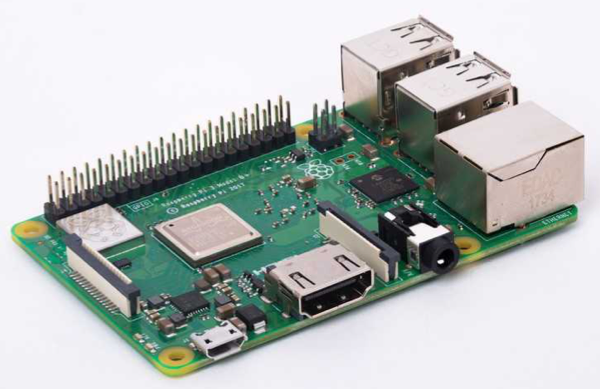
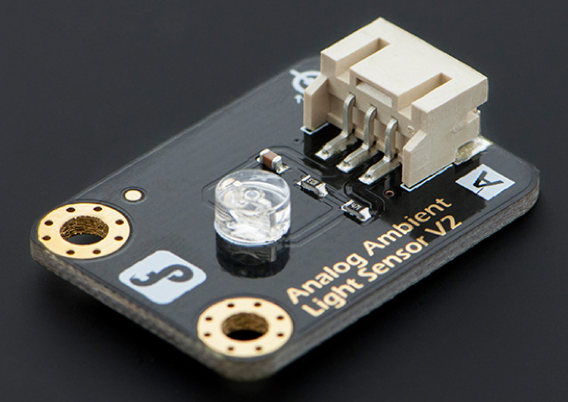
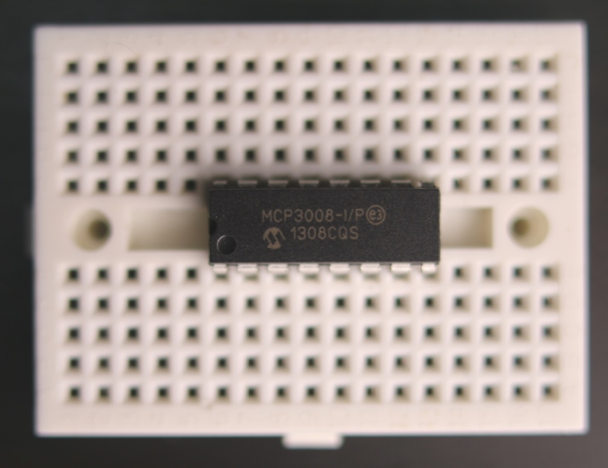
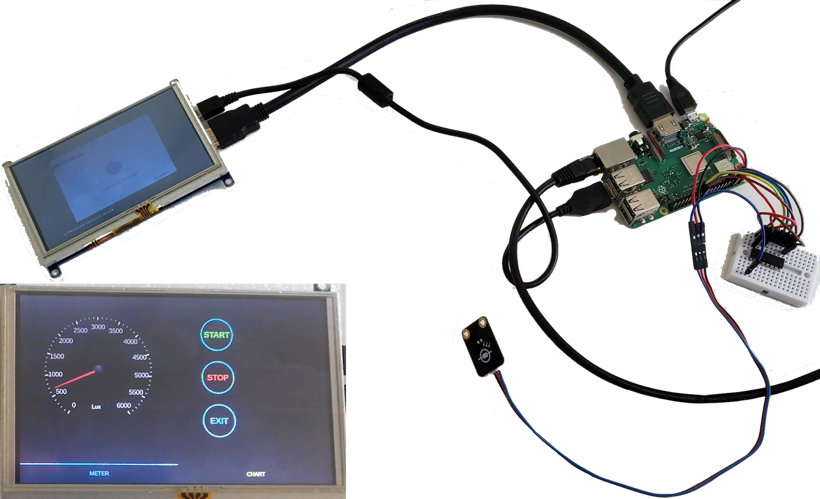
This initial prototype worked well and allowed us to quickly understand how Qt behaves on embedded hardware. Qt’s licensing model, commercial or LGPL v3, also proved suitable for R&D and prototyping across different platforms.
Make it useful
With the basic prototype validated, the next step was to build something more meaningful for everyday use. To achieve this, we decided to extend the prototype into a Working Environment Monitor (WEM). For the PoC, we named this device “Sense1.”
The goal of Sense1 was to measure key environmental conditions in a room and present the information in a clear and interactive way. After evaluating what would be most useful, we selected six parameters to monitor: temperature, humidity, barometric pressure, noise level, illuminance, and air quality (measured through VOC).
To capture these parameters, we added the following sensors:
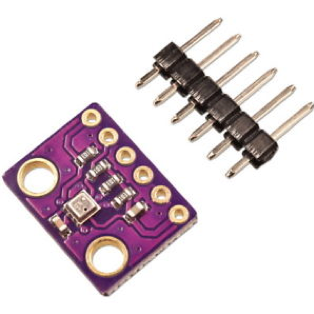
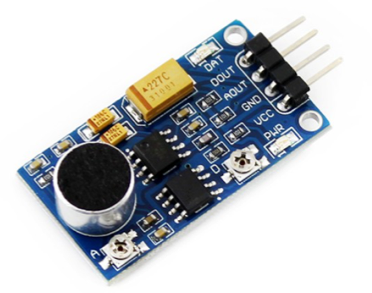
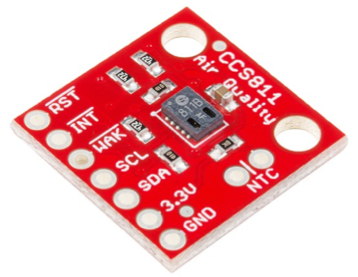
All sensors were integrated with the Raspberry Pi, enabling the device to collect six different environmental measurements. To provide a rich user interface, a 5-inch LCD resistive display was connected.
This display also introduced user interaction. Users could reorganize icons, choose the order of displayed parameters, and tap icons to open detailed indicator cards. This step moved the project from a simple technical prototype to a device with real user-oriented functionality.
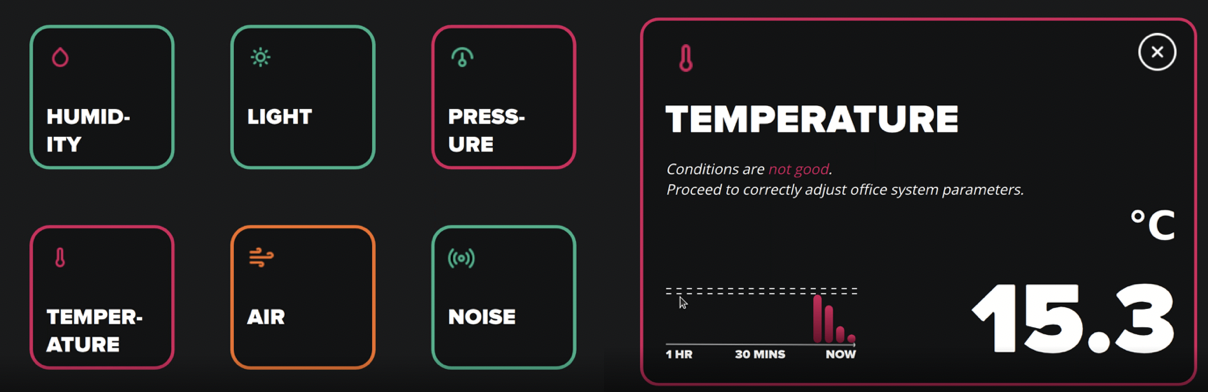
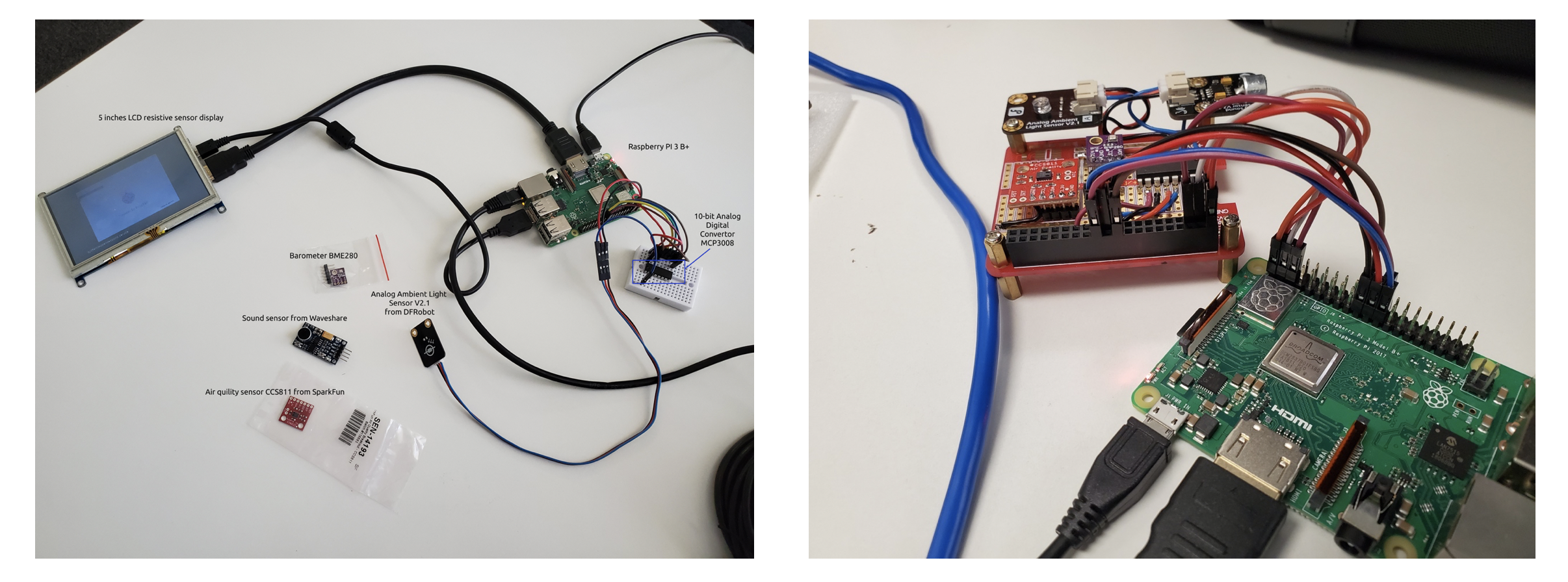
The estimated hardware cost for Sense1 components was:
| Component | Price |
| Raspberry Pi 3 Model B+ | $35.00 |
| Light Sensor | $2.60 |
| Analog to Digital Converter | $2.30 |
| Temperature, humidity and pressure sensor | $6.60 |
| Sound Sensor | $3.90 |
| Air quality sensor | $20.95 |
| LCD resistive display | $35.00 |
| Total | $106.35 |
Make it pretty
Once the device had the necessary functionality, the next challenge was usability and design. To make Sense1 suitable for everyday use, we needed a compact and ergonomic case. This step introduced several new considerations.
First, sensor placement needed careful planning. Each sensor type has specific requirements to ensure accurate readings:
- The air quality sensor must be placed in its own section to avoid interference from oils, solder flux, and other materials inside the case.
- Temperature and pressure sensors also require separation to avoid the heat generated by the device.
The light sensor must be placed outside the case to accurately measure illuminance. - The sound sensor needs a dedicated opening for the microphone.
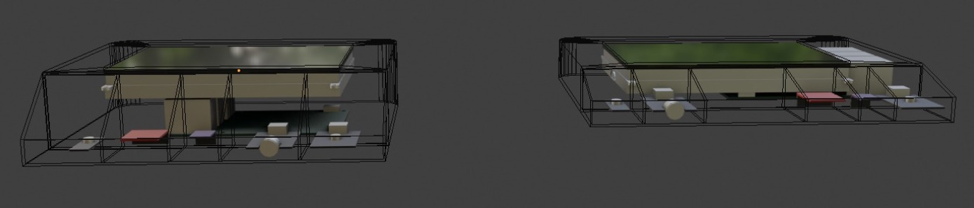
Second, the overall device size needed to remain compact. We explored two design options:
- Placing the display overlapping the Raspberry Pi
- Creating a more compact layout with the Raspberry Pi USB ports adjacent to the screen
Validation of Assumptions
By the end of the investigation, we were able to validate all of our initial assumptions, and the testing process confirmed that Qt fits well for lightweight, cross-platform embedded development.
First, the device proved to be very efficient in terms of hardware resource consumption. Both software and hardware demonstrated stable performance and smooth UI rendering, even on a Raspberry Pi Zero, which has only a 1GHz single-core processor and 512MB of RAM. This platform is noticeably less powerful than the initial Raspberry Pi 3 (1.4GHz quad-core processor, 1GB RAM), yet the application still ran reliably.
We also confirmed that Qt can run without a full display manager or window system. Using the EGLFS plugin, the application renders directly on top of the interface between OpenGL and the native system. This setup supports software-rendered windows such as QWidget by rendering their contents on the CPU, converting them into images, uploading them as textures, and then compositing them via the plugin.
Eliminating a display manager and window system reduces memory usage significantly. In our case, this approach saved at least 100MB of RAM, which is especially important for devices with strict memory limits (for example, those capped at 256MB). The final application itself consumed only about 40MB of RAM, with a binary size of roughly 1.2MB, showing that Qt can remain lightweight even when delivering a smooth UI.
Finally, QML demonstrated exactly what we expected: it is easy to use, fast to develop with, and provides strong performance when running natively. Qt Quick also offered a rich set of built-in controls, which noticeably improved development speed.
FINAL THOUGHTS
By the end of the PoC, the Sense1 device based on Raspberry Pi was fully operational and capable of gathering environmental data through its connected sensors. The Qt application ran smoothly on the embedded system, proving the framework’s suitability for this type of solution.
The next step is to prepare the device for production. This includes designing a 3D-printed case, developing cross-platform desktop applications for Windows, Linux, and MacOS, and building mobile applications for iOS and Android. These applications would collect data from multiple WEM units, allowing users to monitor conditions, configure acceptable ranges, view diagrams, analyze aggregated data, and create support tickets if needed.
While the existing functionality already provides reliable monitoring, integrating Sense1 with heating, air conditioning, humidification, and lighting systems would enable automated adjustments in response to environmental changes.
The most challenging initial work is now complete. The team gained valuable experience and technical insight, laying the foundation for future development in this direction.
If you have a project in mind or a business challenge that could benefit from embedded technologies, our R&D team is ready to help.
Start a conversation with us