


 5 min read
In today’s digital world, organizations use an increasing number of software systems to manage operations, employee information, and customer data. While these systems generate valuable insights, connecting them efficiently can be a major challenge. Integration Platforms as a Service (IPaaS) address this problem by offering ready-to-use tools and workflows that automate data movement, ensure consistency, and simplify communication between systems.
In this article, we explore how IPaaS works in practice, showing how integration projects are planned, built, and maintained. Using Dell Boomi as an example, we walk through the technical process and explain why IPaaS is an effective solution for modern enterprises.
Requirements Analysis: Laying the Foundation
A successful IPaaS integration starts with understanding the business and technical requirements. Before building any workflows, it’s essential to determine:
- Endpoints: Are we integrating two active applications, or exporting/importing data for a single system? For example, exporting Salesforce data for reporting or creating a backup requires different considerations than a full bidirectional integration.
- Integration direction: Is data moving from system A to system B, or both ways? Bidirectional integration adds complexity, requiring change tracking, version control, and conflict resolution when updates occur in both systems simultaneously.
- Synchronization method: Will integration run in batches at scheduled intervals, or in near-real-time? Batch processing works for large data sets or periodic exports, while event-driven near-real-time integration ensures updates propagate immediately when changes occur.
- Processed data scope: Should the integration process all data each time, or only the changes (delta) since the last sync? For delta integrations, additional logic may be needed to track changes, store intermediate records, and compare datasets to avoid duplicates or inconsistencies.
By clarifying these requirements upfront, teams can design integrations that meet business needs while minimizing technical risks.
Process Implementation
Once requirements are defined, the integration workflow can be built. Let’s walk through a practical example using Dell Boomi to move data from Salesforce to a database, following the ETL (Extract, Transform, Load) pattern.
1. Data extraction
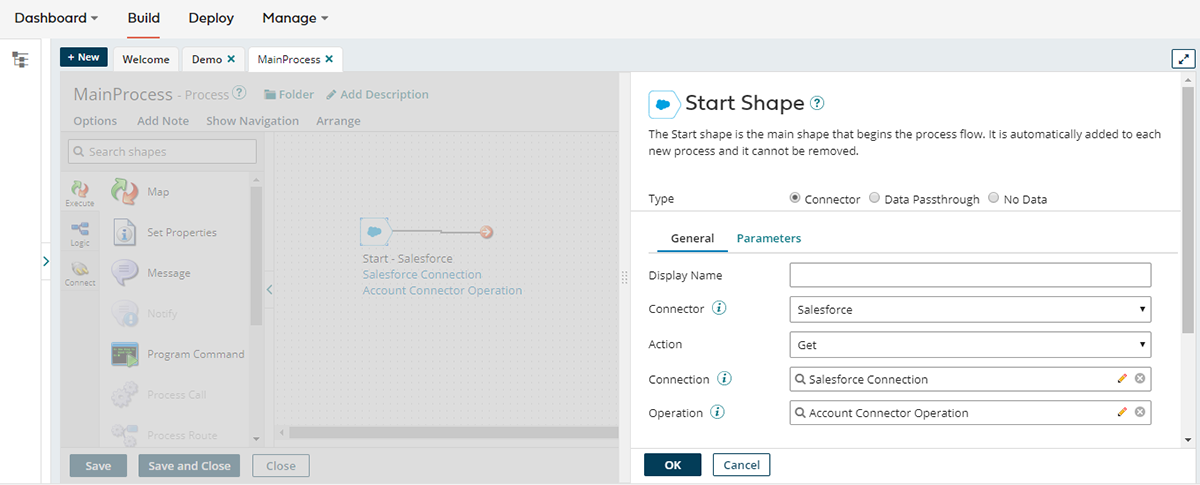
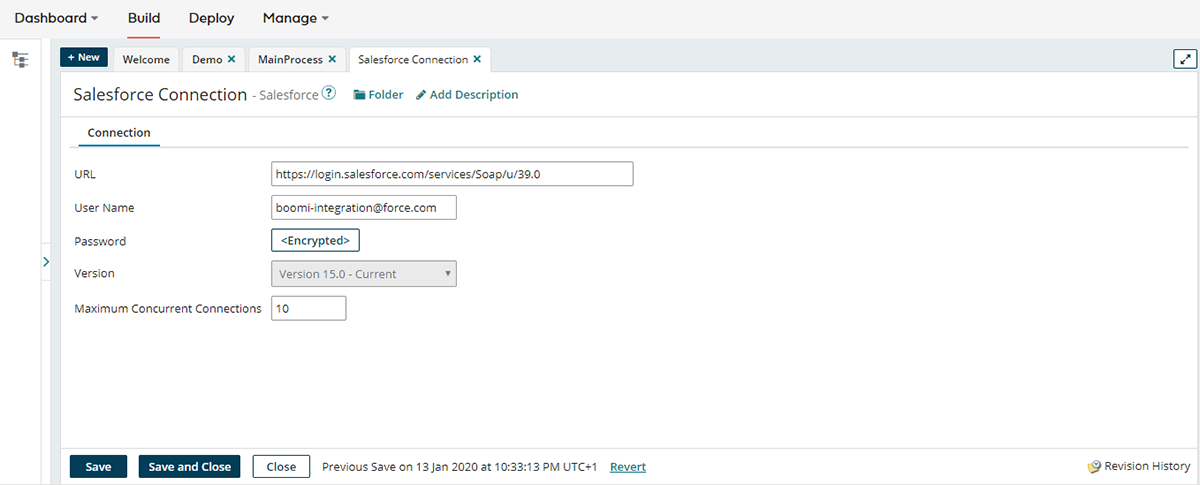
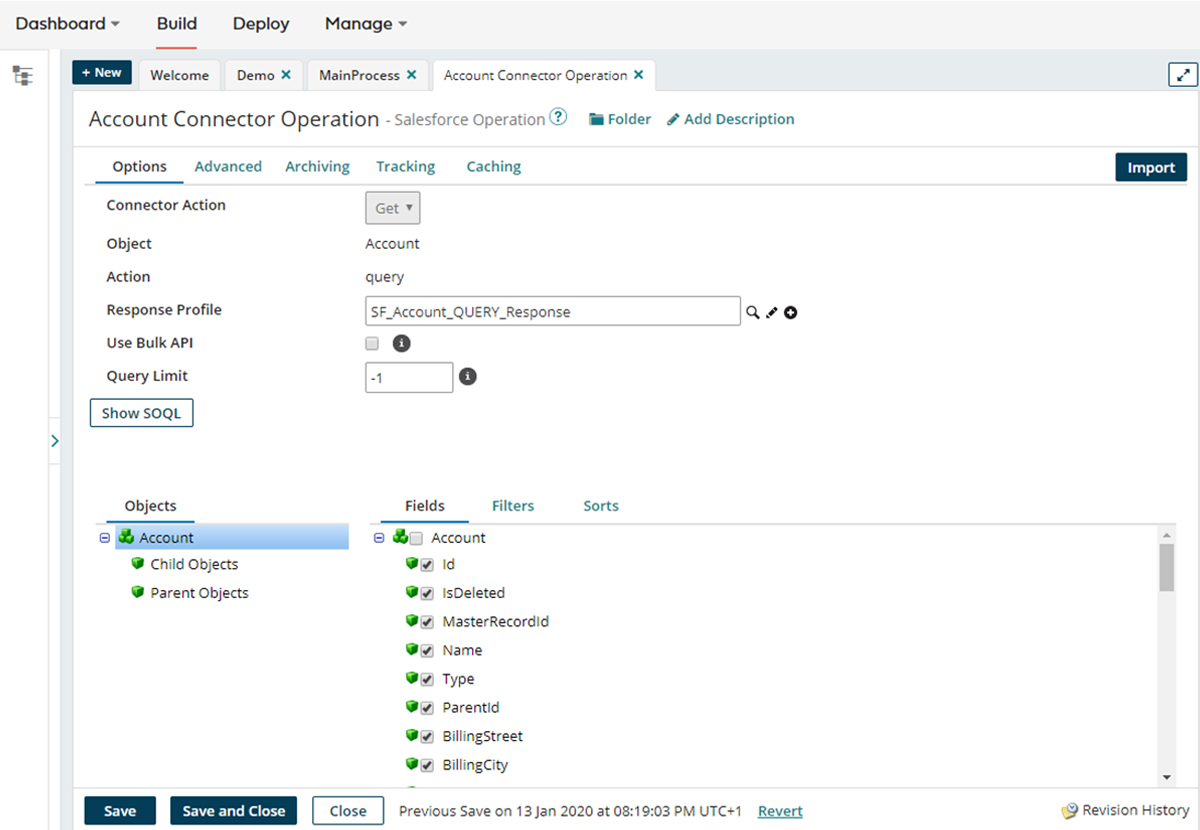
The first step is to connect to the source system and retrieve the data. Boomi provides connector components that make this straightforward:
- Configure connection details (URL, login credentials, etc.)
- Define the operation (e.g., query records, retrieve objects)
- Specify the format of returned data, which can be automatically inferred via the connector’s metadata API
This ensures that the integration accurately reads the source system without requiring manual mapping of every field.
2. Data loading
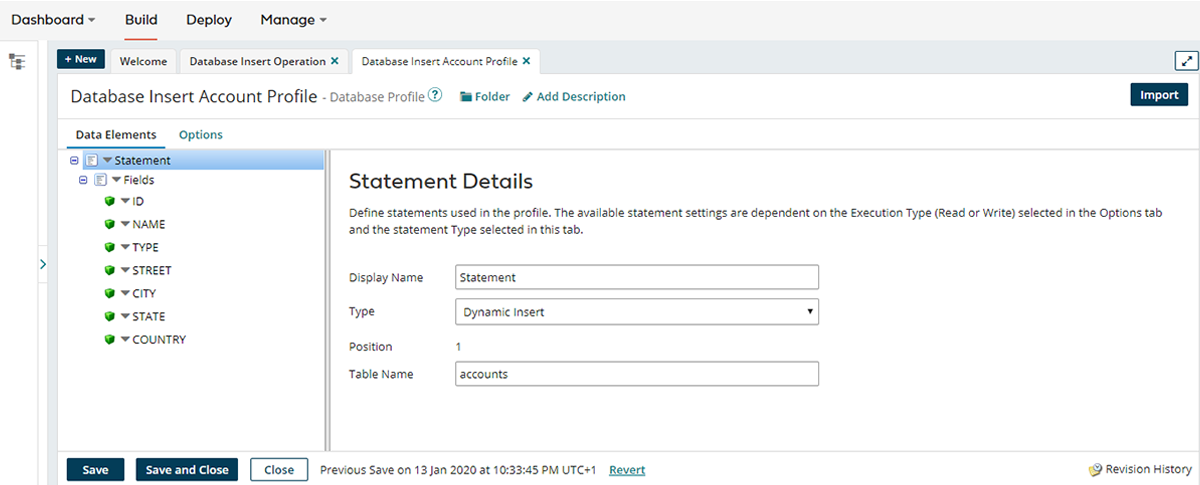
Once the extraction is set up, the next step is loading the data into the target system. This starts with creating a database connector, which allows the integration platform to automatically import the target system’s data format, usually based on the database table schema. This eliminates the need to manually define the format for mapping, saving both time and potential errors.
When configuring the database connector, you specify the connection details (such as server, database, login, and password) and define the type of operation to be performed. For most scenarios, you can select Dynamic Insert, which instructs the platform to automatically generate the appropriate SQL commands to store the incoming data based on the schema.
If needed, more control is available: you can define custom SQL commands or stored procedures manually. However, in many cases, the automatically generated commands are sufficient, making the process faster and more straightforward while ensuring the data is loaded correctly.
3. Data transformation
Data from Salesforce (often in XML or JSON format) must be transformed into the target database format. Boomi’s map component allows intuitive drag-and-drop mapping of fields. For complex cases, additional features like reference tables, value operations, or custom scripts provide flexibility.
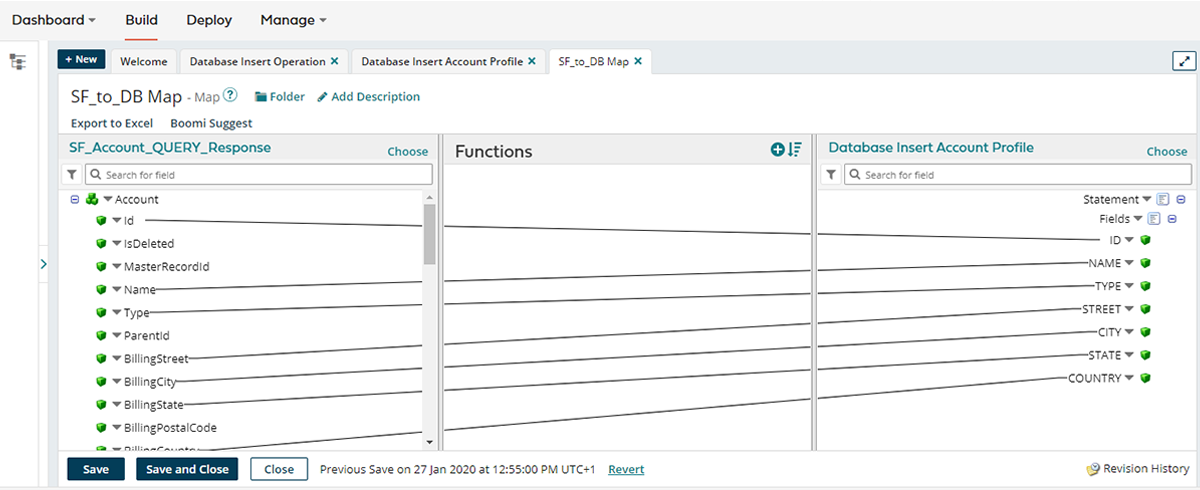
4. Defining data flow
Finally, the extracted, transformed, and prepared data is connected in the integration process to define the workflow. Once completed, the process can be executed, ensuring smooth data transfer from Salesforce to the database.
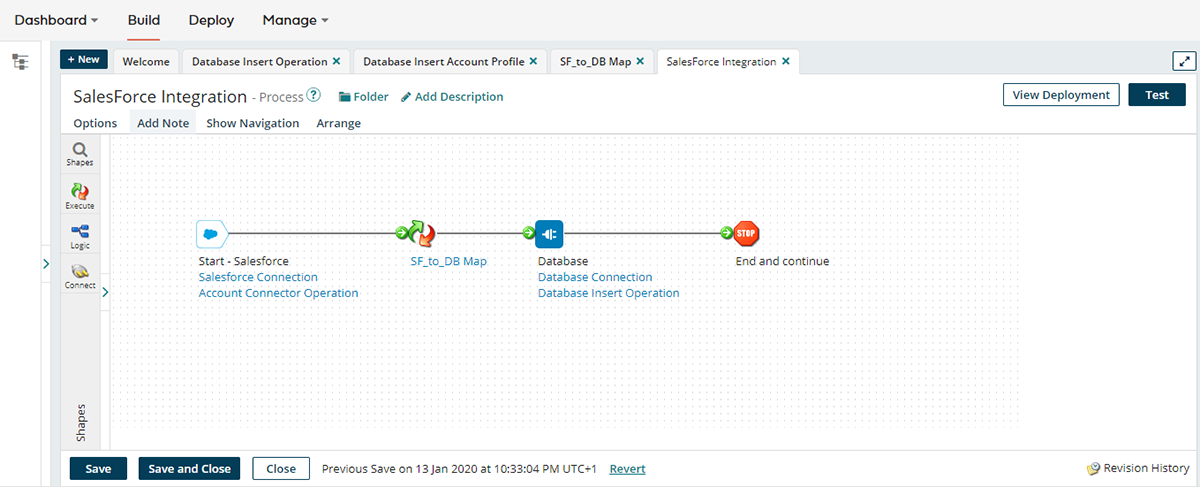
WHY IPAAS MAKES INTEGRATION SIMPLER
While integrations can be complex, IPaaS platforms like Dell Boomi simplify the process in several ways:
- Prebuilt connectors reduce setup time and minimize errors when connecting to popular applications and databases.
- Visual mapping and workflow design make it easier for users without deep technical expertise to build robust integrations.
- Scalability allows integrations to handle increasing volumes of data without requiring additional infrastructure.
- Error handling and monitoring provide logs, alerts, and tracking mechanisms to quickly resolve issues and maintain data integrity.
Even advanced tasks, such as combining multiple sources, handling edge cases, or mapping complex relationships, become more manageable with IPaaS components.
FINAL THOUGHTS
IPaaS platforms like Dell Boomi empower organizations to integrate data quickly, accurately, and with minimal technical overhead. By automating extraction, transformation, and loading across multiple systems, enterprises can unlock the full value of their data, improving decision-making, operational efficiency, and business agility.
SoftServe’s global IPaaS team has extensive experience in designing and implementing integration solutions. Whether you need to connect HR systems, operational tools, or complex enterprise applications, we can help streamline your data flows and maximize the benefits of integration platforms.
Start a conversation with us